> ## Documentation Index
> Fetch the complete documentation index at: https://docs.harbormcp.ai/llms.txt
> Use this file to discover all available pages before exploring further.
# What is Harbor?
> Universal MCP Hub — discover, install, run, and sync MCP servers across every host.
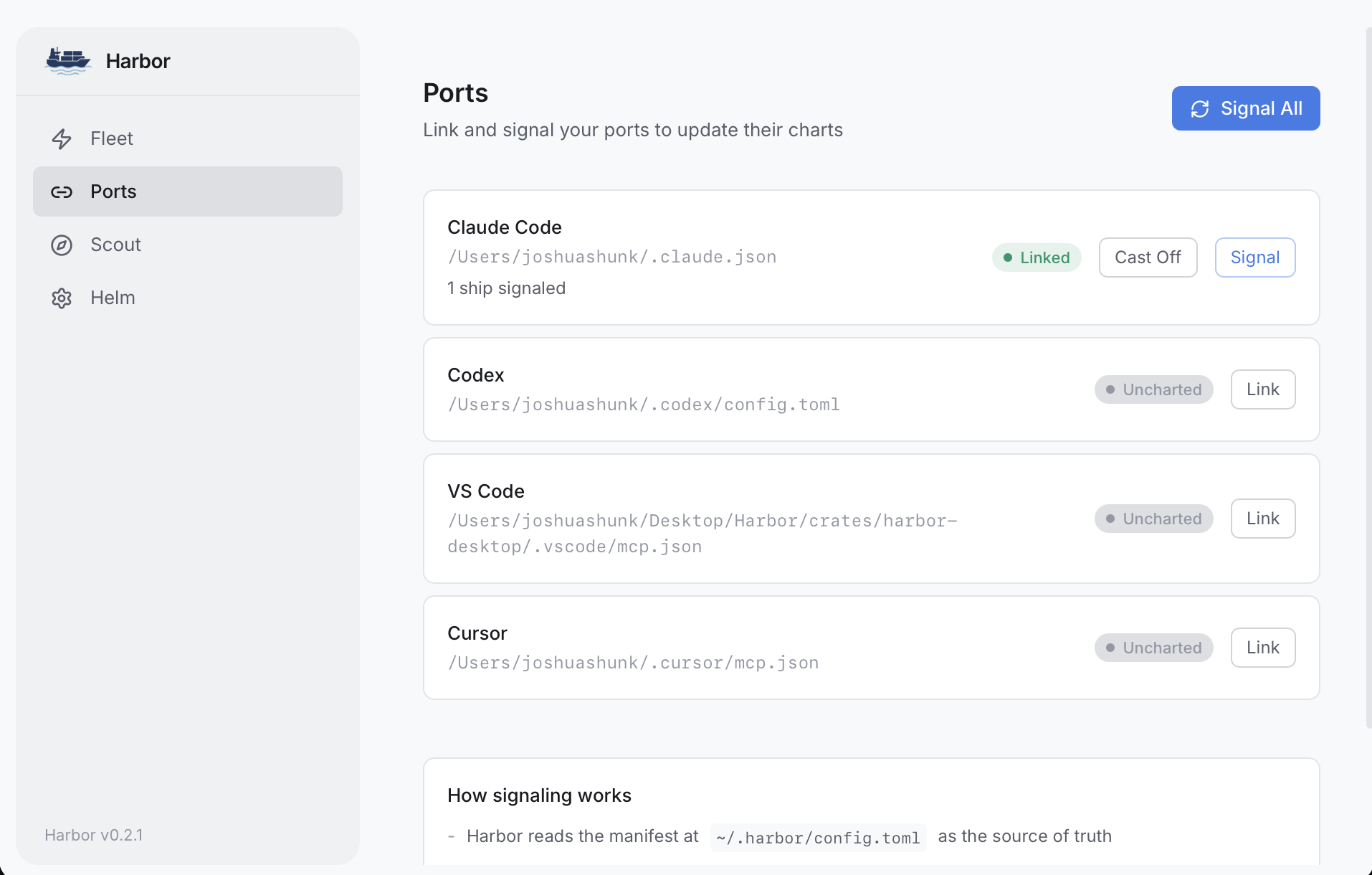
Harbor is a desktop app and CLI that manages [MCP (Model Context Protocol)](https://modelcontextprotocol.io) servers from a single place. Instead of editing JSON and TOML configs by hand across every host, you dock servers once and Harbor syncs them everywhere.
 ## Why Harbor?
Every AI-powered development tool — Claude Code, Claude Desktop, Codex, VS Code, Cursor — has its own config file format for MCP servers. Adding a new server means editing multiple files, copying API keys around, and hoping nothing breaks.
Harbor fixes this. You configure your servers once, and Harbor handles the rest.
## Key Features
Sync to Claude Code, Claude Desktop, Codex, VS Code, and Cursor simultaneously from a single source of truth.
Dock curated servers like GitHub, Slack, Atlassian, Linear, and more with a single command. Built-in OAuth and API key management.
Search and install MCP servers from the [MCP Registry](https://registry.modelcontextprotocol.io) without leaving the app.
Built-in OAuth flows for 12+ providers — Slack, Atlassian, Linear, Notion, Sentry, Figma, Stripe, Vercel, Supabase, Cloudflare, Neon, and Google.
Store API keys in your OS keychain and reference them as `vault:SECRET_NAME`. Your secrets never end up in plain-text config files.
Connect to remote HTTP MCP servers (like GitHub, Slack, Atlassian) alongside local stdio servers. Auth tokens are injected automatically.
Expose your MCP servers over HTTP with bearer token authentication for secure remote access and tool discovery.
Control which tools each server exposes with allowlists, blocklists, and per-host overrides.
Full GUI built with Tauri, or use the CLI for automation and scripting.
Harbor never overwrites your host configs — it merges its servers in alongside yours.
Share MCP server configs across your team via a git-backed fleet repo. Secrets stay local — only `vault:KEY_NAME` references are committed.
## Get Started
Download the desktop app or install the CLI.
Add an MCP server and sync it to your hosts in under a minute.
## Why Harbor?
Every AI-powered development tool — Claude Code, Claude Desktop, Codex, VS Code, Cursor — has its own config file format for MCP servers. Adding a new server means editing multiple files, copying API keys around, and hoping nothing breaks.
Harbor fixes this. You configure your servers once, and Harbor handles the rest.
## Key Features
Sync to Claude Code, Claude Desktop, Codex, VS Code, and Cursor simultaneously from a single source of truth.
Dock curated servers like GitHub, Slack, Atlassian, Linear, and more with a single command. Built-in OAuth and API key management.
Search and install MCP servers from the [MCP Registry](https://registry.modelcontextprotocol.io) without leaving the app.
Built-in OAuth flows for 12+ providers — Slack, Atlassian, Linear, Notion, Sentry, Figma, Stripe, Vercel, Supabase, Cloudflare, Neon, and Google.
Store API keys in your OS keychain and reference them as `vault:SECRET_NAME`. Your secrets never end up in plain-text config files.
Connect to remote HTTP MCP servers (like GitHub, Slack, Atlassian) alongside local stdio servers. Auth tokens are injected automatically.
Expose your MCP servers over HTTP with bearer token authentication for secure remote access and tool discovery.
Control which tools each server exposes with allowlists, blocklists, and per-host overrides.
Full GUI built with Tauri, or use the CLI for automation and scripting.
Harbor never overwrites your host configs — it merges its servers in alongside yours.
Share MCP server configs across your team via a git-backed fleet repo. Secrets stay local — only `vault:KEY_NAME` references are committed.
## Get Started
Download the desktop app or install the CLI.
Add an MCP server and sync it to your hosts in under a minute.