> ## Documentation Index
> Fetch the complete documentation index at: https://docs.harbormcp.ai/llms.txt
> Use this file to discover all available pages before exploring further.
# Desktop App
> A visual interface for managing your MCP server fleet.
Harbor's desktop app is built with [Tauri v2](https://v2.tauri.app/) and gives you a full graphical interface for everything the CLI can do.
 ## Pages
The app is organized into five main sections, accessible from the sidebar:
Manage your docked MCP servers — add, remove, enable/disable, configure tool filters, and edit arguments.
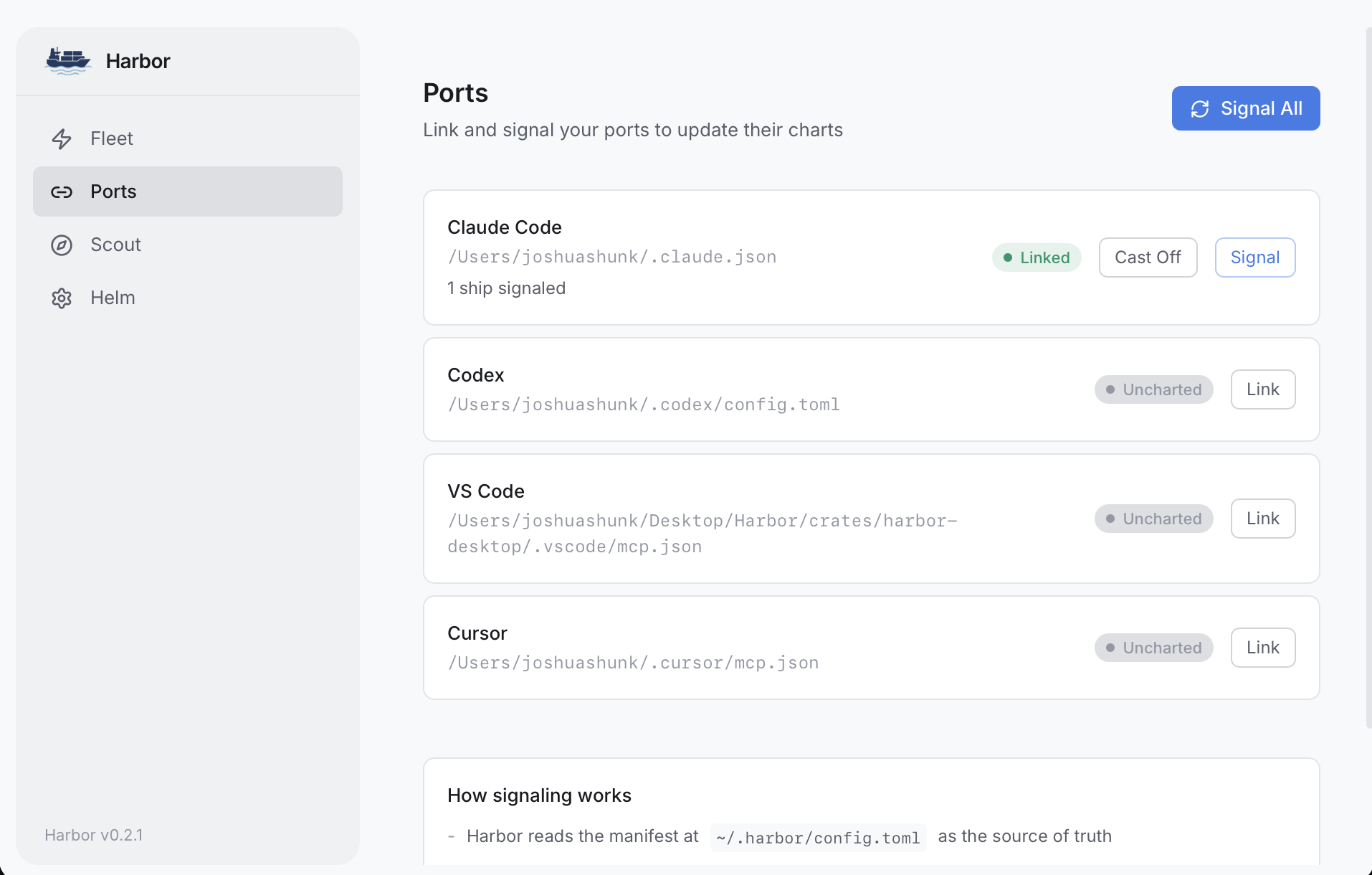
Connect to hosts like Claude Code, Claude Desktop, VS Code, Codex, and Cursor, then sync your fleet.
Browse the Native Fleet of one-click servers, or search the MCP Registry for community servers.
Start and monitor the HTTP/SSE gateway, configure network access and authentication.
Manage secrets, OAuth providers, themes, and updates.
## System Requirements
* **macOS**: Apple Silicon or Intel (macOS 11+)
* **Windows**: x86\_64
* **Linux**: x86\_64
## Download
Get the latest release from GitHub.
## Pages
The app is organized into five main sections, accessible from the sidebar:
Manage your docked MCP servers — add, remove, enable/disable, configure tool filters, and edit arguments.
Connect to hosts like Claude Code, Claude Desktop, VS Code, Codex, and Cursor, then sync your fleet.
Browse the Native Fleet of one-click servers, or search the MCP Registry for community servers.
Start and monitor the HTTP/SSE gateway, configure network access and authentication.
Manage secrets, OAuth providers, themes, and updates.
## System Requirements
* **macOS**: Apple Silicon or Intel (macOS 11+)
* **Windows**: x86\_64
* **Linux**: x86\_64
## Download
Get the latest release from GitHub.